

Let’s see how to use the compass on your cell phone to orient yourself effectively, and see if your phone includes a gyroscope 😉
The compass on your mobile is really useful but, in some rare cases you cannot activate it because the hardware is not prepared or you simply do not have an app to use it.
How to activate the mobile compass
There are several reasons why you may not be able to activate the compass on your mobile.
- One of them is that your device does not have the hardware necessary to use a compass. Although most smartphones today include a compass sensor, some older or lower-end models do not.
- Another reason could be that you do not have a compass-compatible app installed on your device. Make sure you have a map app or navigation app that allows you to use the compass.
- Finally, it is possible that the compass is disabled in your device settings. Check the “location” or “sensors” section of your phone’s settings to make sure the compass is enabled. If it is not enabled, activate it.
Which cell phones have a compass?
Most cell phones come with a compass. It is a basic function of smartphones, but older ones may not have it.
To know if your cell phone has a compass, you must look at the phone’s manual. What if you don’t have the manual?
So, I recommend you try this online compass.
How many sensors does a mobile phone with a compass have?
Most phones have a light sensor, proximity sensor, gyroscope, accelerometer and magnetic sensor.
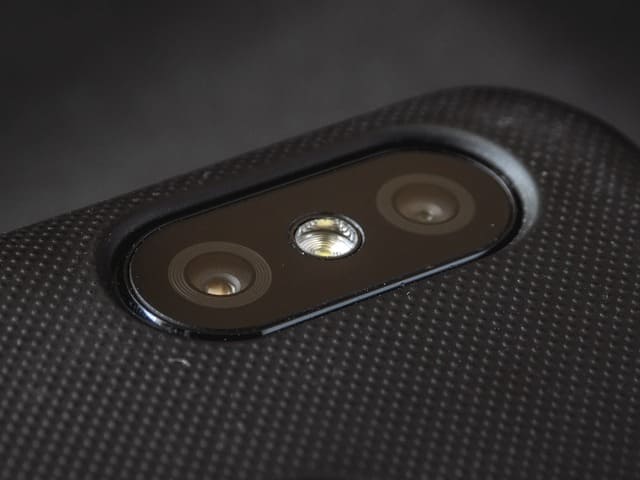
Without a gyroscope or magnetic sensor the compass will not work.
What is the gyroscope on the cell phone?
The gyroscope is the sensor that allows your phone to measure rotation. The compass will see that you are turning and will move the needle.
To check it, it is best to look in the user manual or check it with one of these online compasses.
Do they also have to have a magnetic sensor?
Mobile phones that have a magnetic sensor are those that have a compass.
In fact, the magnetic sensor is what allows to recognize magnetic North and for the compass to work correctly.
How to install a compass on my cell phone?
To install the compass, from this same website you can take advantage of the 2 free options.
- See the best compasses to download.
- Try a free online compass.
What is the accuracy of the cell phone’s GPS?
The accuracy of your cell phone’s GPS depends on several factors:
First of all, it depends on the size and shape of the phone. The number of satellites that the phone can access will also affect us. And finally, it is possible that the quality of the GPS software is also influencing.
How to improve GPS accuracy
- Place the phone in a clear place.
- Update the GPS software to the latest version.
- Check that you have a good internet connection.
How to orient yourself with your mobile?
The compass has become an essential element for many people, and thanks to it we can orient ourselves when we are in unknown places.
However, if you have problems using it we want to help you. Check our guide to most frequent problems or leave us a comment.